The Machine Room
- Memo
- #005
- Date
- 3 November 2026
- From
- Viljami
The UNC 64 in the game is a real machine. The emulator runs every instruction, the manual is the spec, and the games on the desk are written in its assembly language.
So sooner or later someone is going to want to write their own programs for it, and not only at the desk in 1984.
That's what the Machine Room is for. It comes with the game.
One file, in your browser
The Machine Room started as my own tool: a web page with the emulator compiled to WebAssembly, an assembler and a debugger. It needed a web server and a build step, which is fine for me and not for anyone else.
Now it's one HTML file, about 1.5 MB, in a folder beside the game. Double-click it and it opens in your browser. The emulator, the editor and the fonts are all inside that one file, so there's nothing to install, it works offline, and nothing you write leaves your computer.
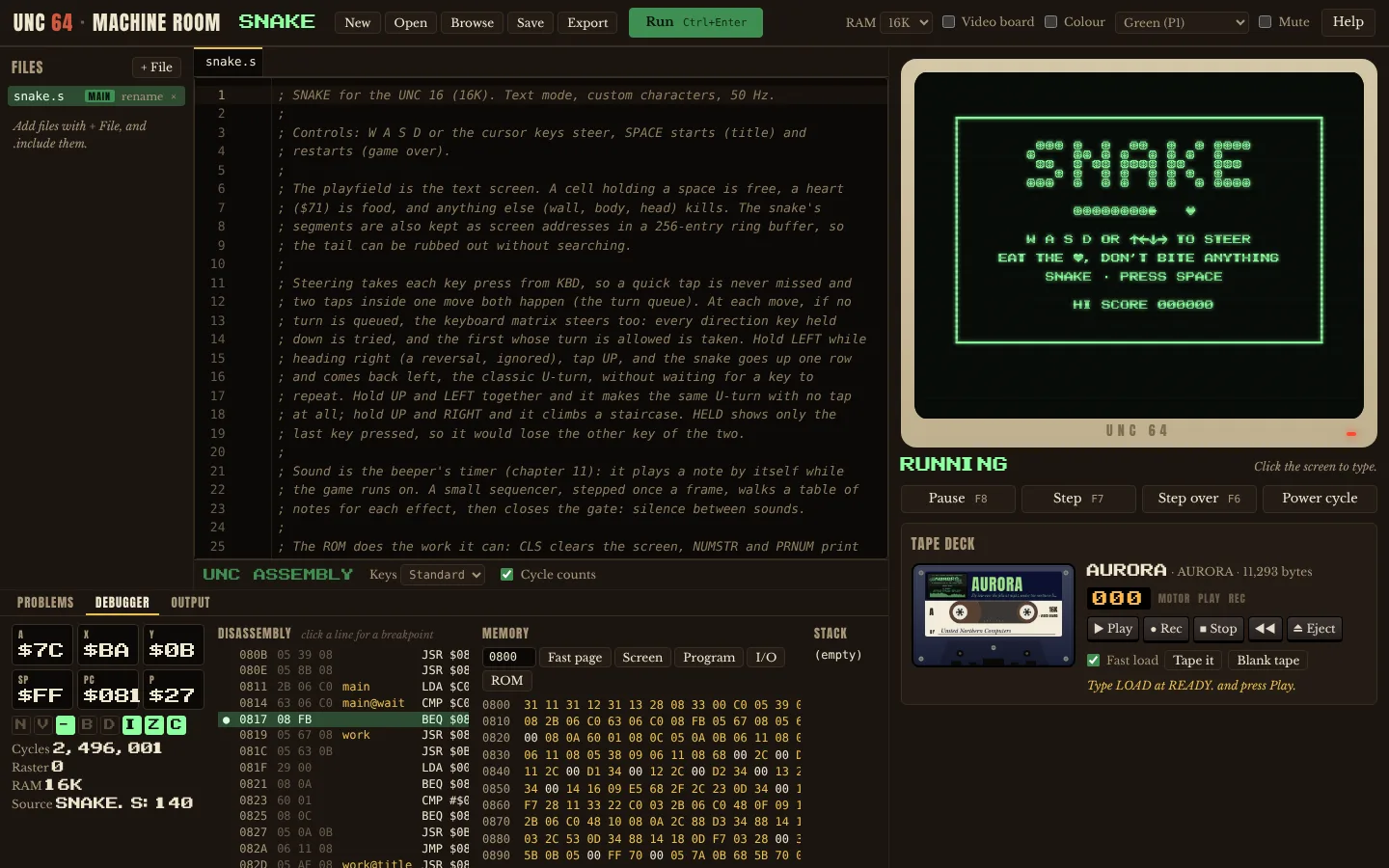
It's laid out like an IDE, because that's what it is:
- Your project's files on the left, and
.includeworks across them. - The editor in the middle. Errors from the real assembler show up as you type, completion knows every register and ROM routine in the manual, and every instruction has its cycle count in the margin. There's a Vim mode, because of course there is.
- The machine on the right, with a tape deck under it.
- The debugger underneath: registers, flags, disassembly with breakpoints, memory and the stack. Step one instruction at a time and watch what changes.
It's the same emulator core as the one inside the game, so a program that works in the Machine Room works at the desk.
Cassettes
The idea I stole outright is from PICO-8. A PICO-8 cartridge is a PNG: a picture of the cartridge, with the game hidden inside the image file. You can post it anywhere a picture goes, and it still loads.
A UNC 64 cassette is the same idea with a tape. The picture is the cassette's label side, drawn from your program's screen when you save it. Inside the PNG is the tape image the machine loads, and if you want, the source files too. A binary-only release and an open-source one are the same kind of file.
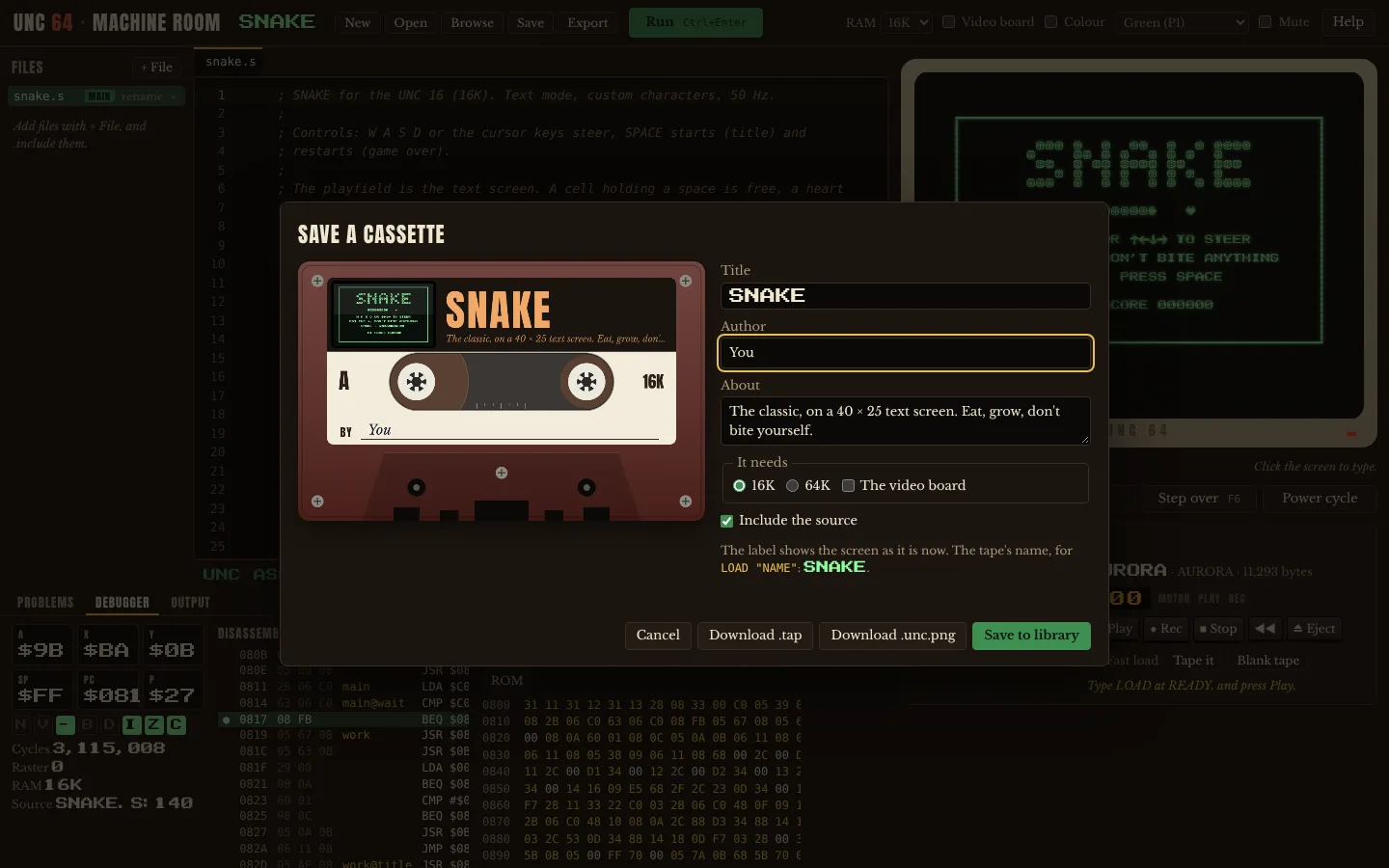
The format is written down and versioned from the start. That's the same rule as the tape format: anything people will share needs to stay readable.
Browse
The other thing PICO-8 got right is SPLORE, the built-in library you can browse from inside the machine.
The Machine Room has a Browse view with a shelf of cassettes. The games from the uncle's stand are on it, AURORA from the video board's box, the samples from the manual, and whatever you've saved. Run one and it goes into the deck: LOAD, PLAY, like on the real thing. Open one and you're reading its source.
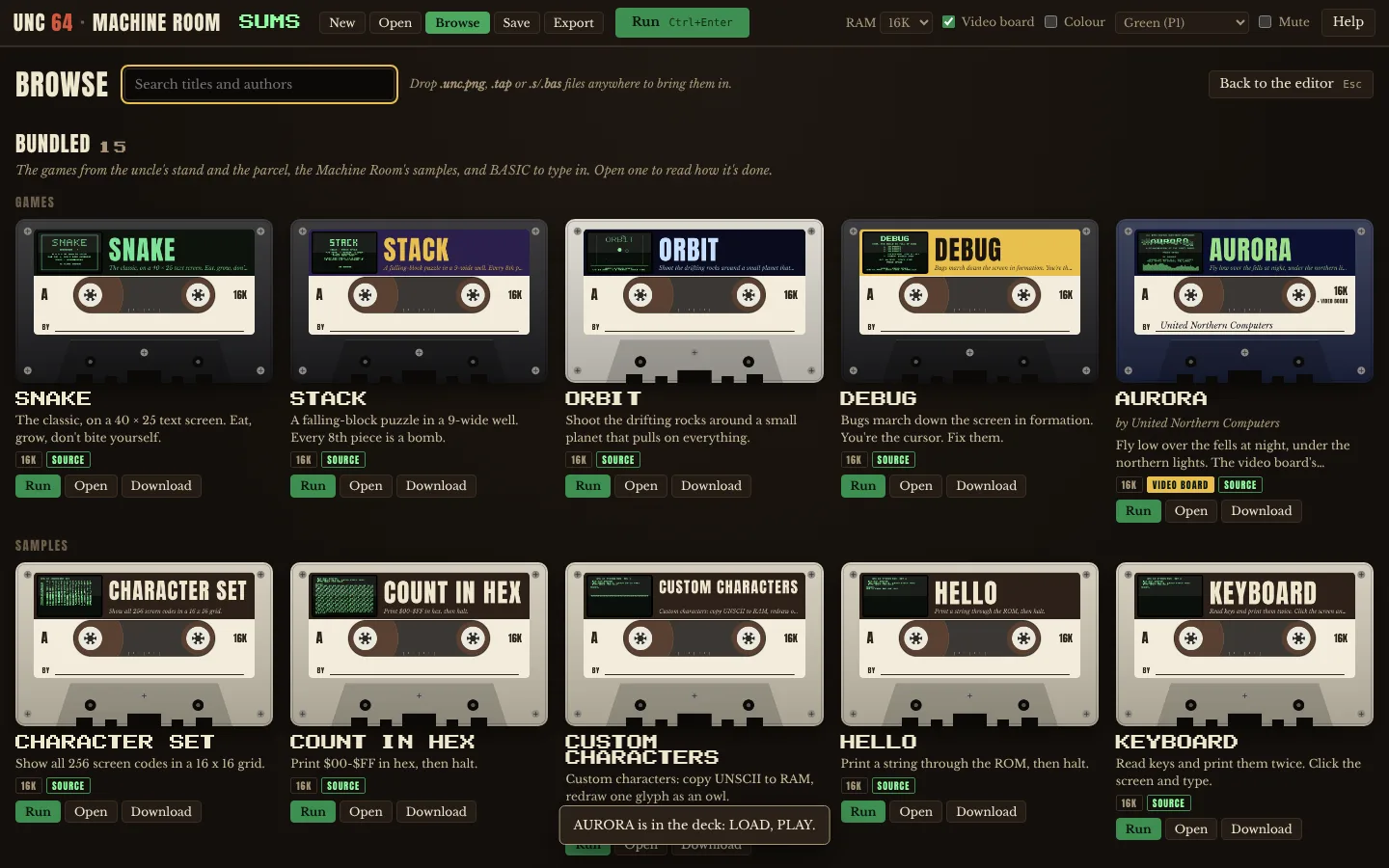
There's a third shelf on it already, called Online, that says "coming later". Long term, that's where a community library goes, where people post their games. Not built yet.
BASIC on tape
Building this, I noticed BASIC programs had no way onto a tape. The machine could LOAD, but SAVE was never built.
Now it is. SAVE "NAME" says PRESS RECORD AND PLAY ON TAPE, the deck has a RECORD key, and the program goes onto the tape at the same 600 bytes a second it comes off at. LOAD puts it back as your program, ready to RUN. A BASIC program saved on a UNC 16 loads on a UNC 64 and the other way round.
Into the game, and back out
Turn on My tapes in the game's pause menu, and the game makes a folder for your cassettes, the same on every computer: Documents/UNC 64/Cassettes. It doesn't touch your Documents folder until you ask it to.
Put a cassette in that folder, or drop it on the game's window, and it's in a shoebox on the desk. Pick it out and it goes into the deck like any of the uncle's tapes.
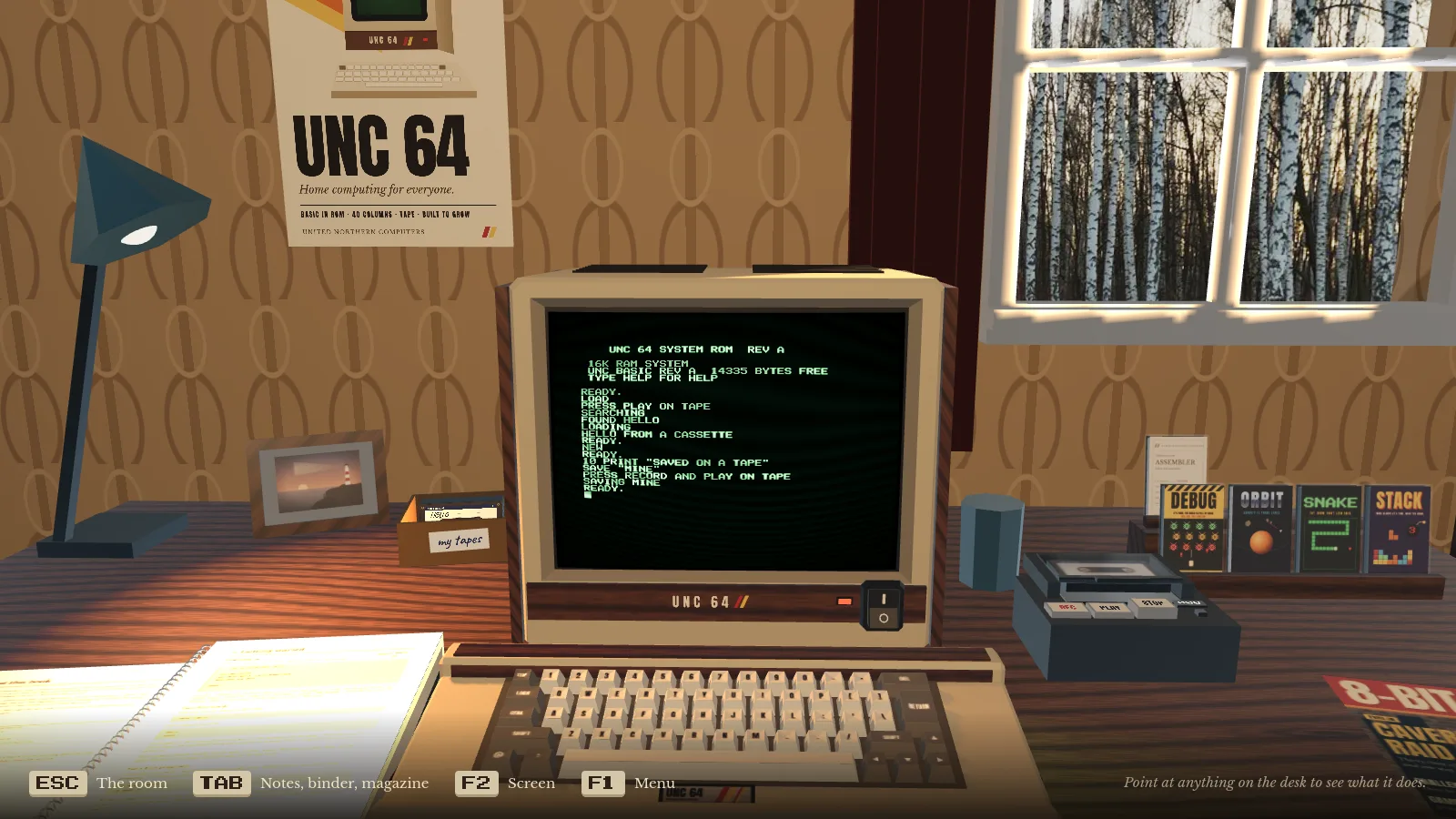
It works the other way too. The shoebox always has a blank tape in it. SAVE onto it at the desk, eject it, and what you saved is a file in that folder. Open it in the Machine Room and keep going on your own computer.
See you in the shoebox.
Viljami